

AI Agents for Sales: 4 That Handle the Admin So You Can Focus on Relationships
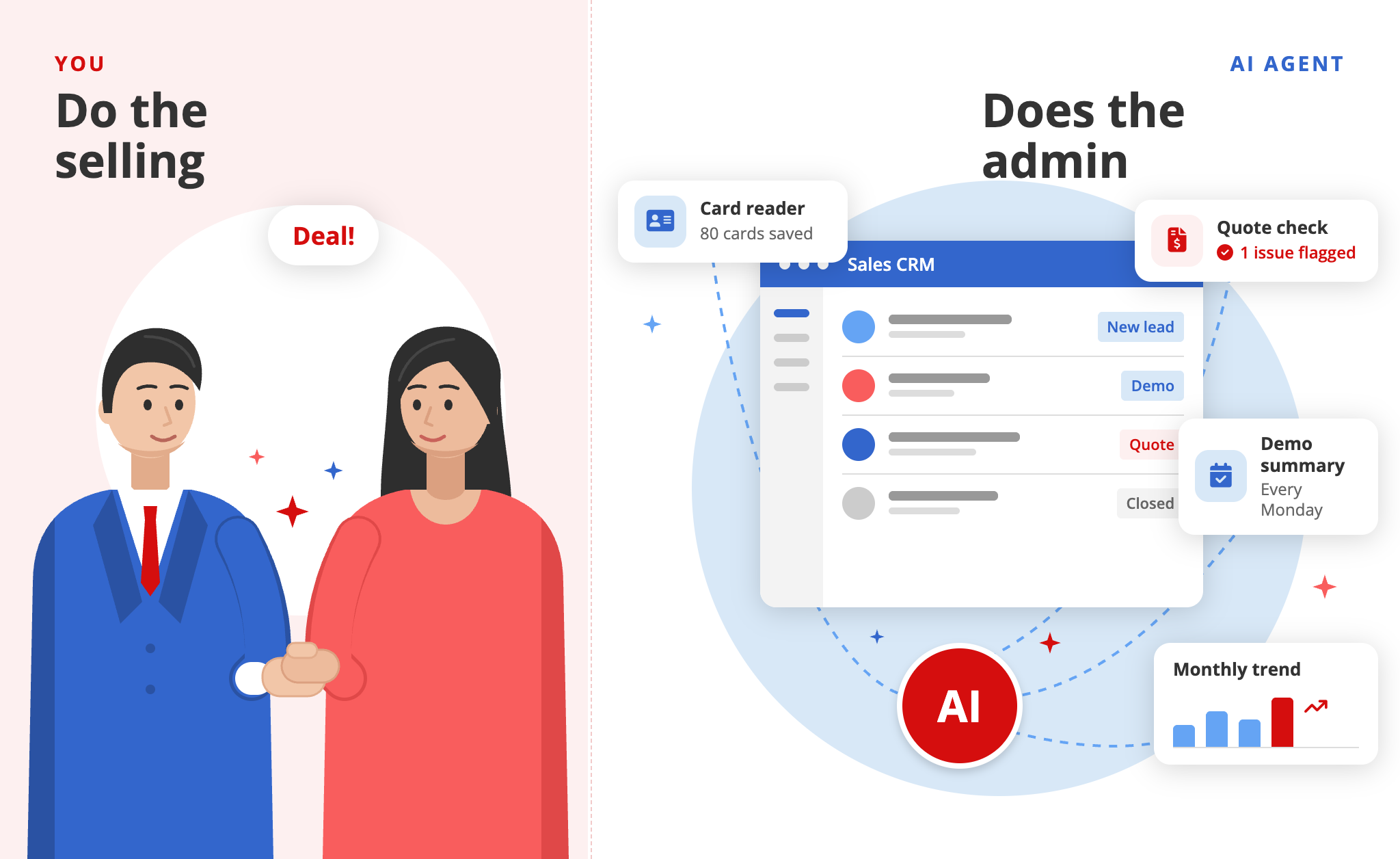
There are usually two reasons salespeople, whether farmers or hunters, love their job. Some love connecting with people and finding solutions for someone who needs one. Others live for the rush of hitting a target.
I won’t say this is true for everyone, but for most of them, it’s not the admin we enjoy. Logging business cards into the CRM after a meeting, writing up notes, making sure no demo request slips through, putting together quotes. They’re here for the fun, adventurous part of sales, not the paperwork.
Senior reps often have a sales assistant to handle all of that, so they can focus on the big deals. So the question is: now that AI is here, why does so much of the hype go to the part salespeople actually enjoy?
Most of what’s out there is the AI SDR (sales development representative), the kind that automates outreach, handles objections, and sends follow-ups. These tools have a reputation for being unreliable, and because they talk directly to your customers, every mistake lands in front of someone you’re trying to win.
Now imagine the opposite. You keep the parts of the job you love, and the AI takes the tedious admin. It never talks to your customers, so there’s very little risk, and it’s easy to try.
AI SDR vs. admin agent: what’s the difference?
| AI SDR | Admin agent | |
|---|---|---|
| Talks to customers | Yes (outreach, objections, follow-ups) | No |
| Main risk | Mistakes reach prospects directly | Low, since output stays internal |
| Automates | Prospecting and messaging | Data entry, review, summaries, reporting |
| Best for | Teams scaling outbound volume | Reps who want to keep selling and drop the paperwork |
1. Business card reader
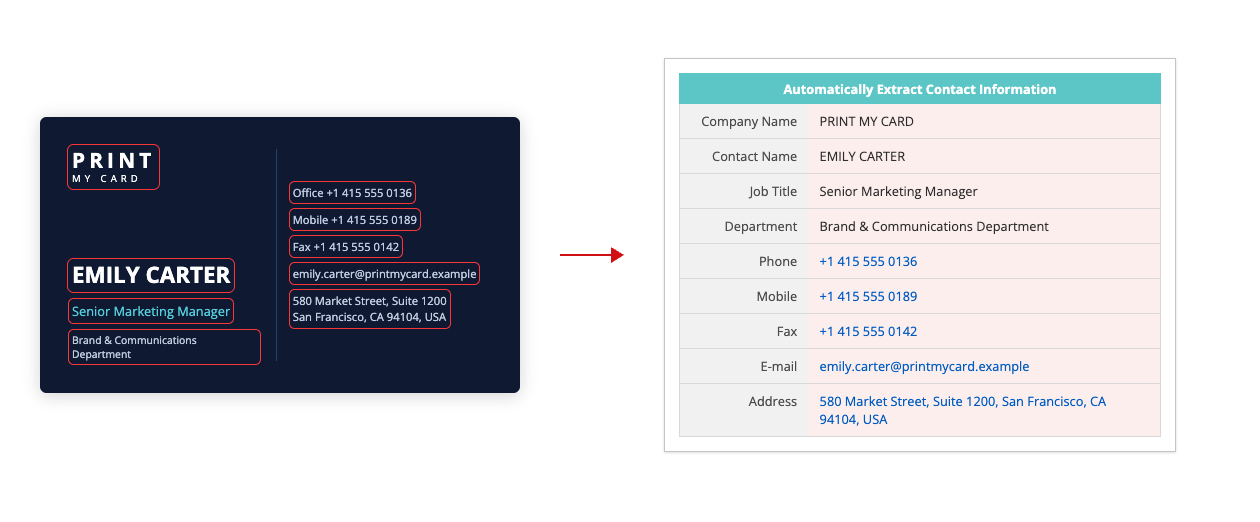
The socializing at the exhibition wasn’t so bad. You had maybe 10 key prospects you wanted to touch base with. But those 10 are now buried in a stack of 80 business cards. The other 70 aren’t a priority right now, but you can’t just throw them away either. One of them could turn into your next big deal one day. Just not now..
So now you have to key all 80 into your CRM.
Doesn’t sound as fun as the socializing, does it?
This AI agent turns business cards into records in your Ragic CRM. Just take a photo and upload it, and the agent fills in the key details for you.
Best for: Reps who attend exhibitions and events.
2. Quote reviewer
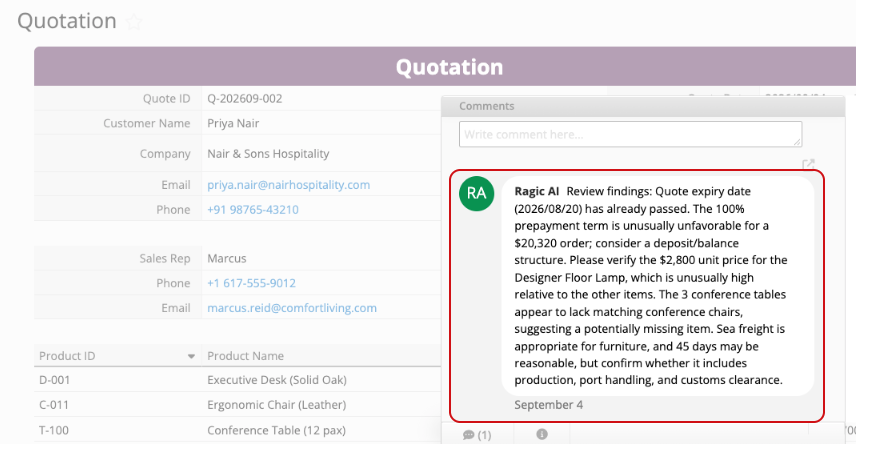
You finally got the green light to send a quote. The client is ready, and you don’t want to keep them waiting. You are rushing to key in the quotation, in the middle of other sales efforts you are trying to close.
But one small slip can turn into a costly mistake: a discount applied twice, a price that doesn’t match the price list, or a lead time you can’t actually deliver (Let’s be honest, sales people are great at the selling part, not always the details😉). Catch it after the client signs, and you’re either eating the cost or having an awkward conversation.
This agent reviews your quote before it goes out and flags anything that looks off in the comment section, so you can fix it before the client ever sees it. Learn more about this agent here.
Best for: Teams that build quotes by hand under time pressure.
3. Weekly demo insights and summary
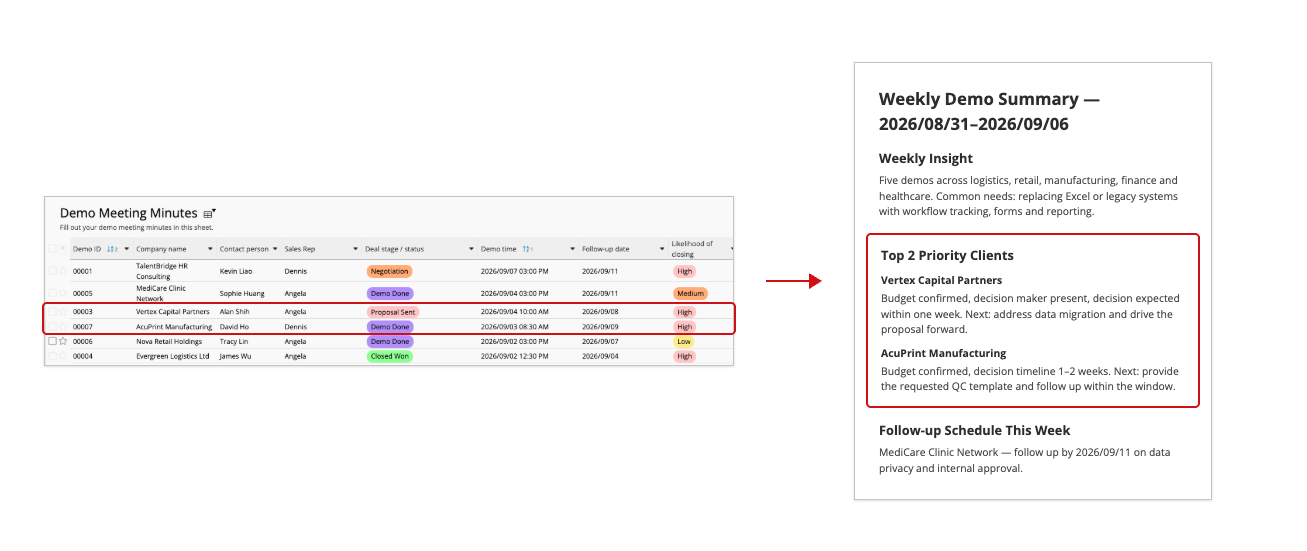
Monday, 9:03 a.m. Coffee in one hand, last week’s demo notes in the other. Six demos, six sets of notes, and one question: who do you call first?
You start reading. “Interested in Q3??” “Budget TBC.” “Ask about integration!!” Past you was clearly in a hurry, and present you has no idea what any of it means. Was the Q3 client the one ready to sign, or the one who was just looking?
Meanwhile, this week’s demos are already piling into your calendar, and those follow-ups quietly slide to “later.” (And we all know that a hot lead doesn’t stay hot for long, the follow-ups need to be now or never, not later)
This agent does that Monday homework for you. Every Monday, it pulls last week’s demo notes, looks at how ready each client is and where each deal stands, and gives you a structured summary: key insights, your top priority clients, and the follow-up actions to take. You start the week knowing exactly who to call first.
Best for: Reps who run several demos a week and keep shorthand notes.
4. Monthly sales trend reporter
"So, how’s last month?”
“Good!”
“Good how? Which products moved? Which customers went quiet? Are we still waiting on that big payment?”
“...Let me get back to you on that.”
You know the month went well. You just can’t prove it yet. The proof is in your sales data, which means exporting reports, wrestling with a spreadsheet, and hunting for patterns until your eyes glaze over. Somewhere around the third pivot table, you start to wonder whether this is really what you signed up for.
This agent turns last month’s sales data into this month’s action plan. It summarizes your product and customer trends, highlights customers who need a follow-up, flags orders at risk of going unpaid, and suggests next steps based on the numbers. Next time someone asks how the month went, you’ll have an answer, and a plan.
Best for: Reps and managers who dread building reports from raw exports.
How to get started with Ragic AI agent templates
A SYSAdmin can open the Ragic AI panel, choose an agent template, and use its template sheets or connect it to existing Ragic sheets. Review the instructions, accessible sheets, actions, and trigger settings before testing it on your workflow. Once set up, this agent will apply to the whole company’s database.
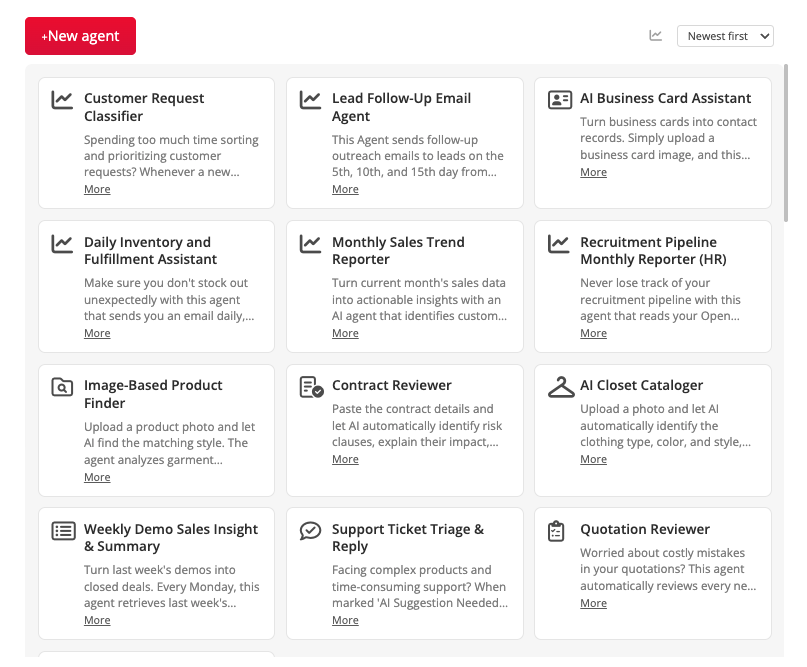
You can adjust the prompt and settings as your needs change. Agent runs consume AI usage; check the current Ragic plans and AI usage information when evaluating costs.
Read the AI agent setup guide.
Build an agent around your own sales process
These four templates are starting points. You might need a different check, a different reporting schedule, or a summary that answers your team's particular questions.
Our video on building a custom sales agent walks through an example that checks pricing history when you create a quotation.
Start with the task that keeps getting pushed to the end of your day. Let the agent handle the admin. You've got people to talk to.
Category: Applications > Use Cases