 Learning center
Learning center
Learning center
In Ragic, we offer Ragic AI as your database assistant. It helps you quickly build databases and query your data. Click the AI icon in the upper right corner of the page to start using Ragic AI.
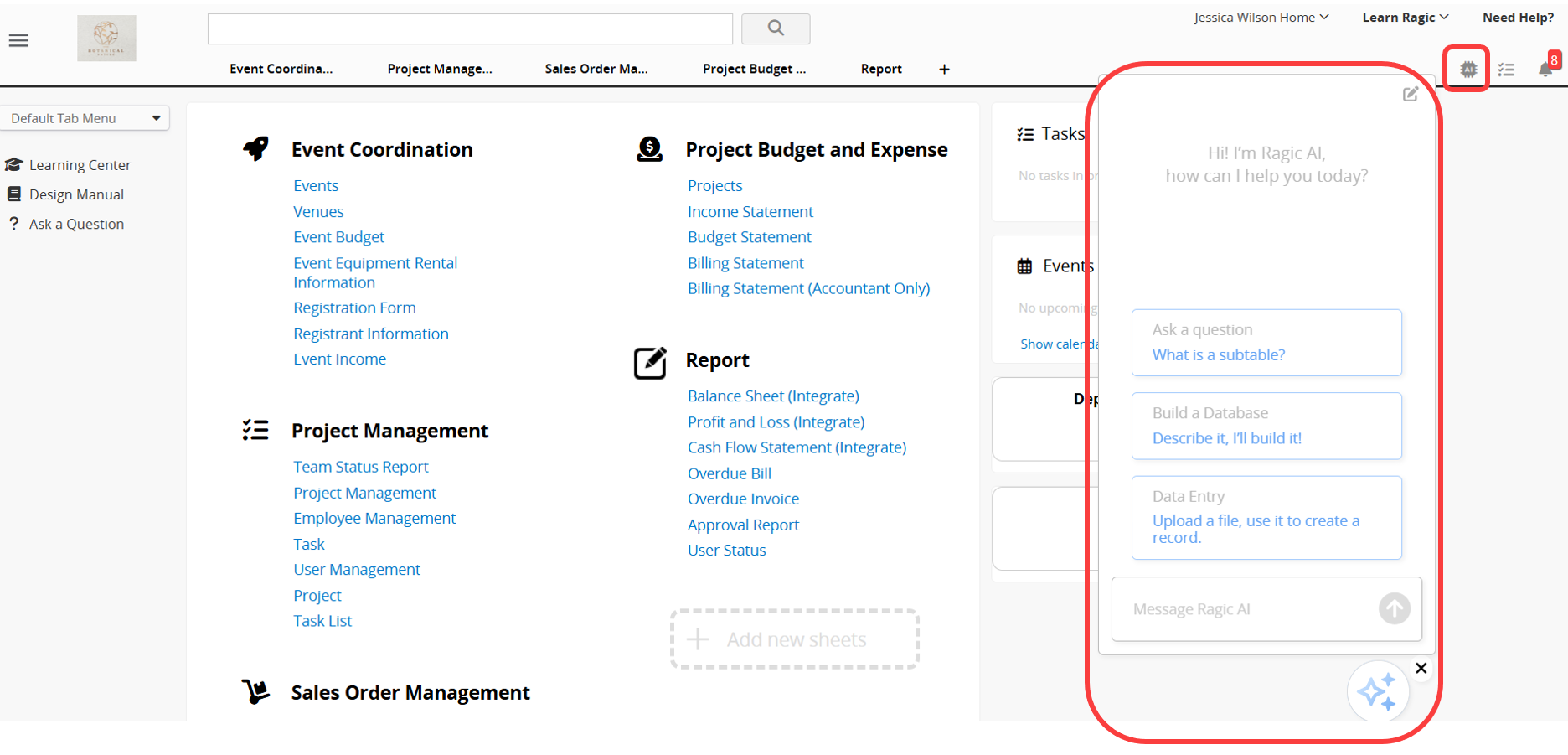
With Ragic AI, you can:
Ask questions about Ragic: Quickly understand Ragic's features and terminology. For example, if you ask, "What is a Subtable?", Ragic AI will provide an explanation, and you can continue asking follow-up questions based on its response. For more accurate answers, we recommend describing your question as clearly as possible.
Build a database: Click "Build a Database", then describe your requirements. Ragic AI will automatically create the related sheets, along with a sheet relationship diagram and usage instructions to help you quickly understand your database structure.
Query your database: You can ask Ragic AI to look up data in your sheets or perform simple data analysis.
With Ragic AI, whether you're solving a problem or building a database from scratch, you can get it done faster, significantly reducing the time spent searching for information and designing sheets.
 Thank you for your valuable feedback!
