 Design guide
Design guide
Design guide
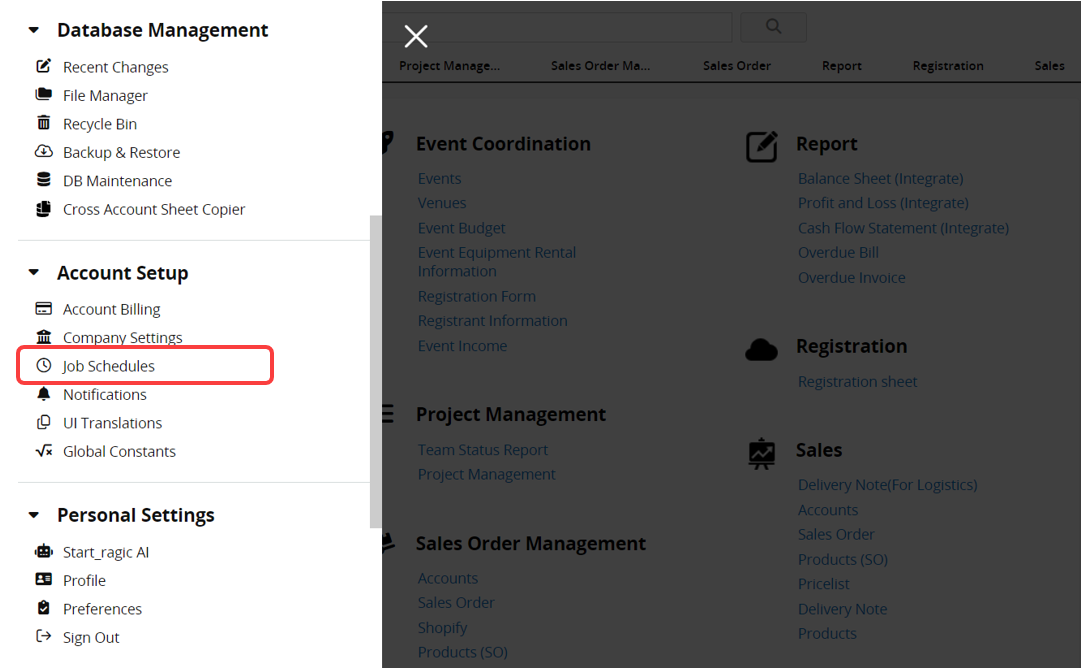
You can find Job Schedules under Account Setup by clicking the hamburger icon on the upper-left of the page.
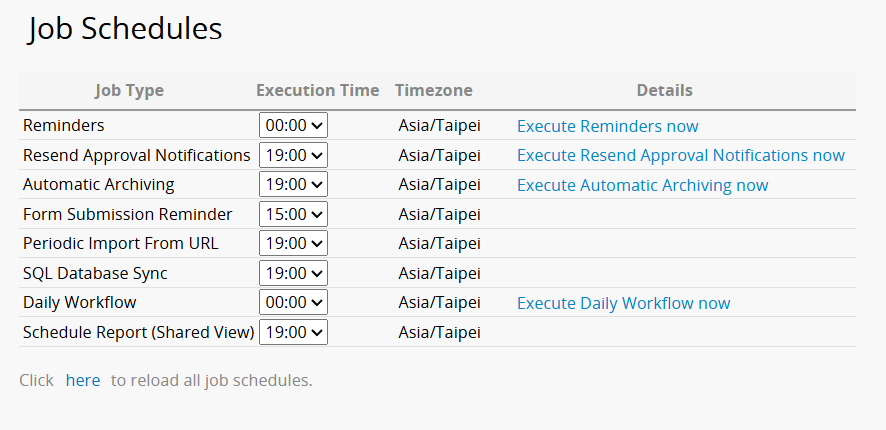
You can set the job execution time for the features below: Reminder, Resend Approval Notifications, Automatic Archiving, Form Submission Reminder, Periodic Import from URL, SQL Database Sync, Daily Workflow, and Schedule Report. The job execution time in your account will usually be the default job schedule execution time that's set up according to your Account Settings. However, you can still configure a different execution time for each job. Please note that the settings of each feature should be modified in the corresponding interface of that feature.
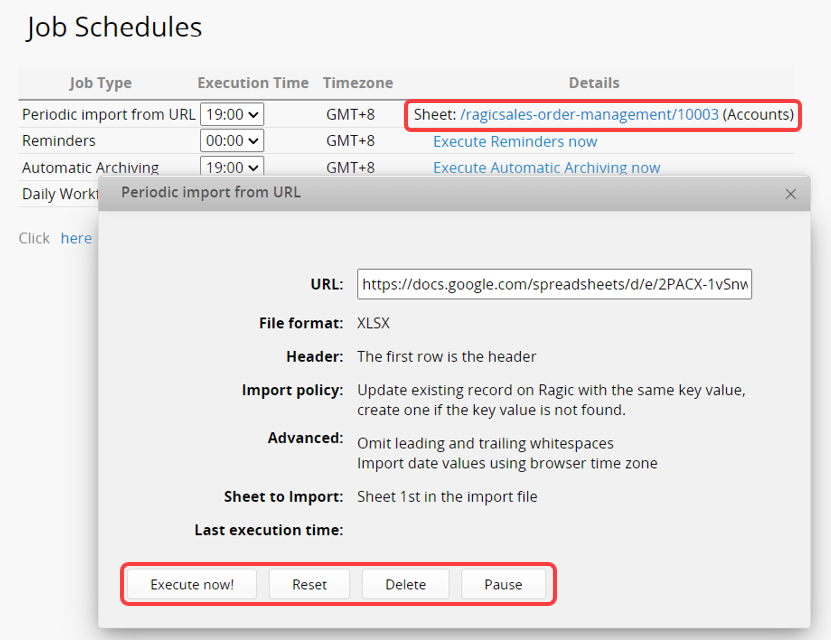
Some features have only one schedule, such as Reminders, and the execution time applies to all Reminders in the database. As shown in the image below, the system checks all Reminders daily at 19:00 in the configured time zone and sends those that meet the conditions in sequence.
Other features have multiple schedules, such as Periodic Import from URL and Form Submission Reminder, and you can set a separate execution time for each schedule.
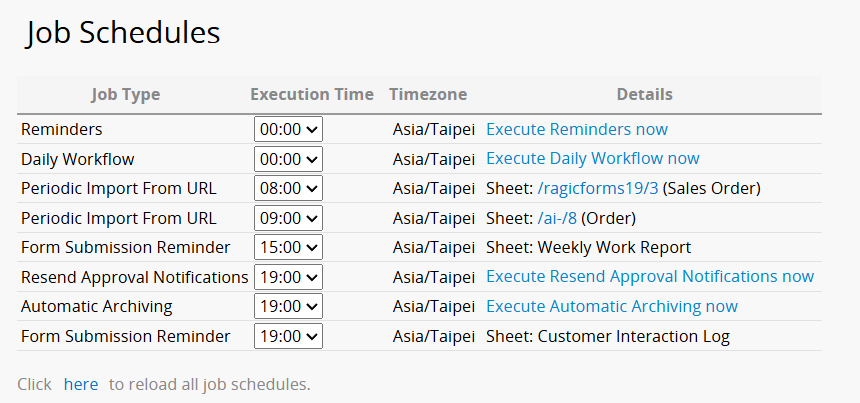
Reminder and Daily Workflow will list the items by default, while other features will only be listed if they are configured.
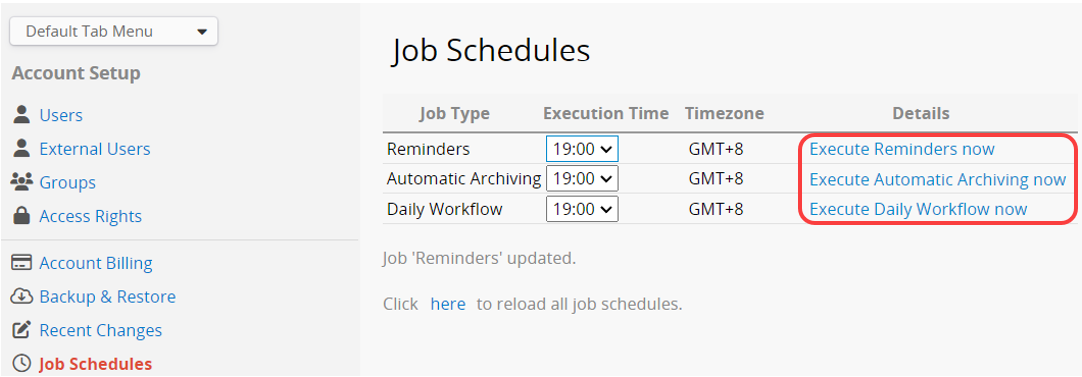
If you would like to execute a job immediately, you can click on Execute now.
Click on the Details of Periodic Import from URL or Schedule Report to execute, reset, delete, or pause the import in the pop-up window.
 Thank you for your valuable feedback!
