 Design guide
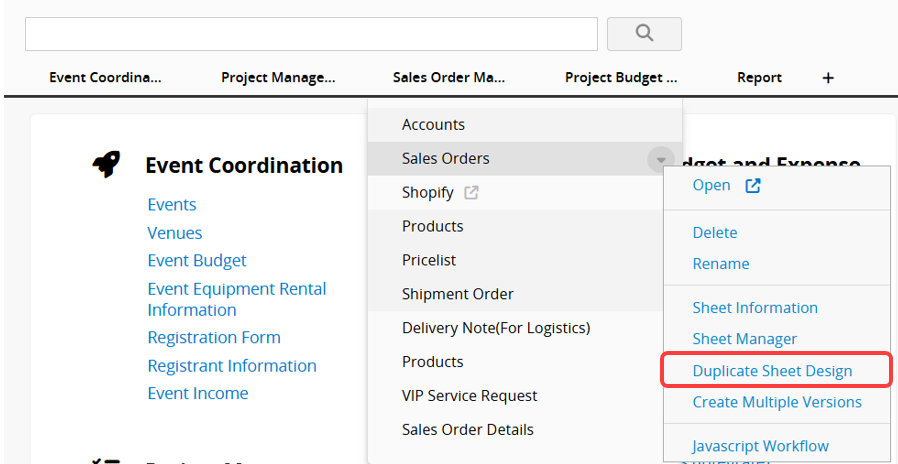
If you want to create a new sheet with the same design as an existing one, right-click the sheet you want to duplicate, or hover over the sheet name and click the arrow icon. Then select Duplicate Sheet Design.
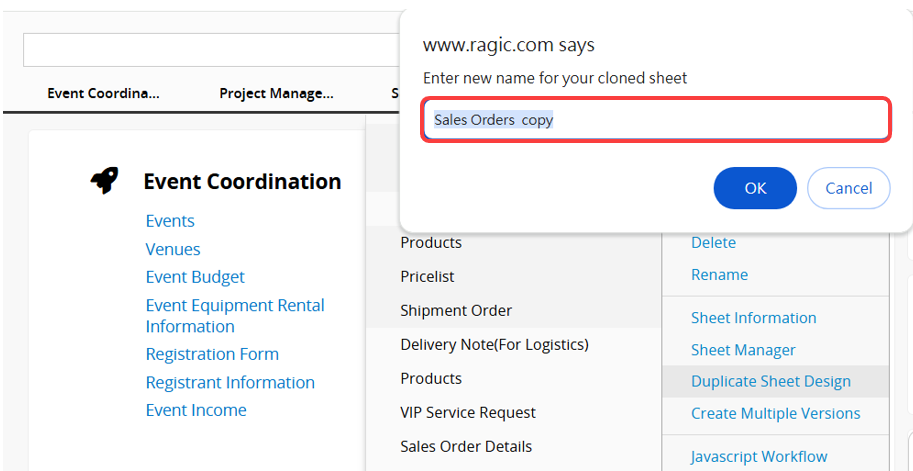
After you name the new sheet, a copy with the same design as the original is created. It does not include the original sheet's records, and the data is not shared between the two sheets.
Note:
1. If you would like to copy a tab with all the sheets under it, you may refer to this article.
2. To duplicate the sheet's records while sharing the data source, please refer to Multiple Versions.
 Thank you for your valuable feedback!