 Design guide
Design guide
Design guide
Click the hamburger icon on the upper-left of the page and select Recycle Bin under Database Management.
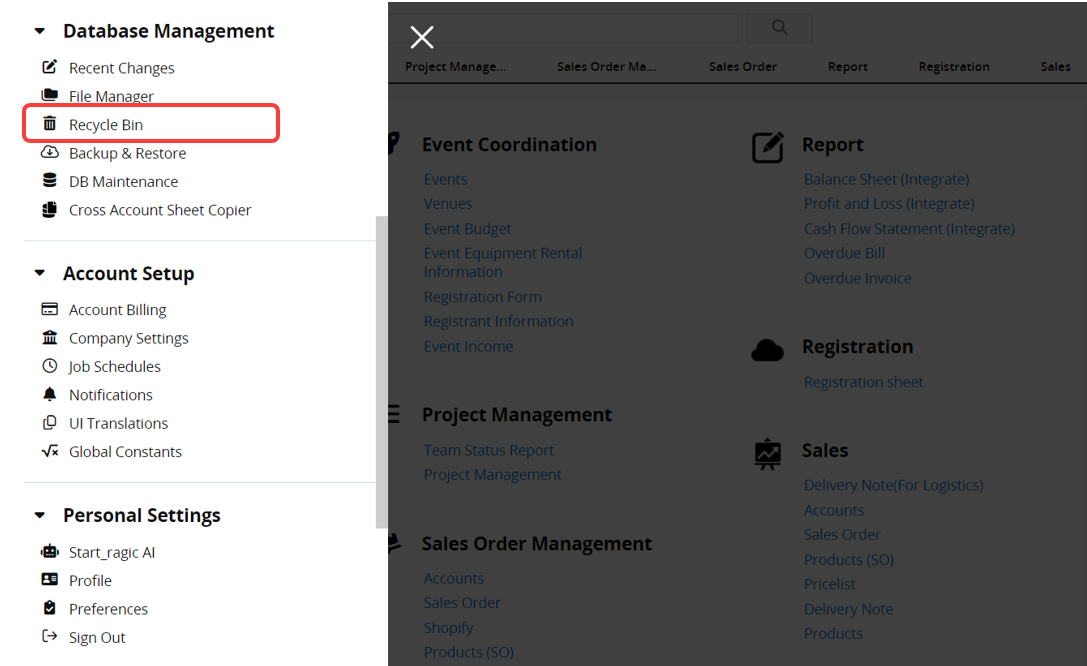
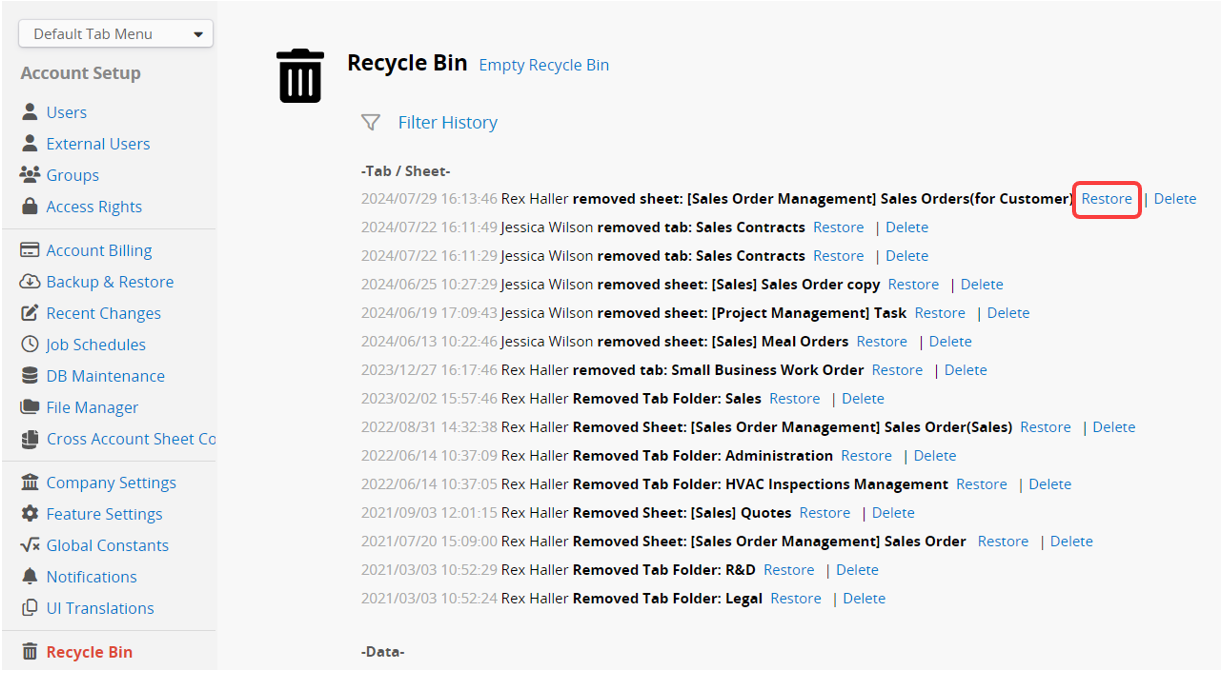
If you accidentally delete a tab, sheet, or record, you can recover the deleted item using the Recycle Bin.
Note: When performing a Mass Delete on the Listing Page, the Recycle Bin will list each deleted record individually if ten or fewer records are deleted; otherwise, individual details will not be displayed.
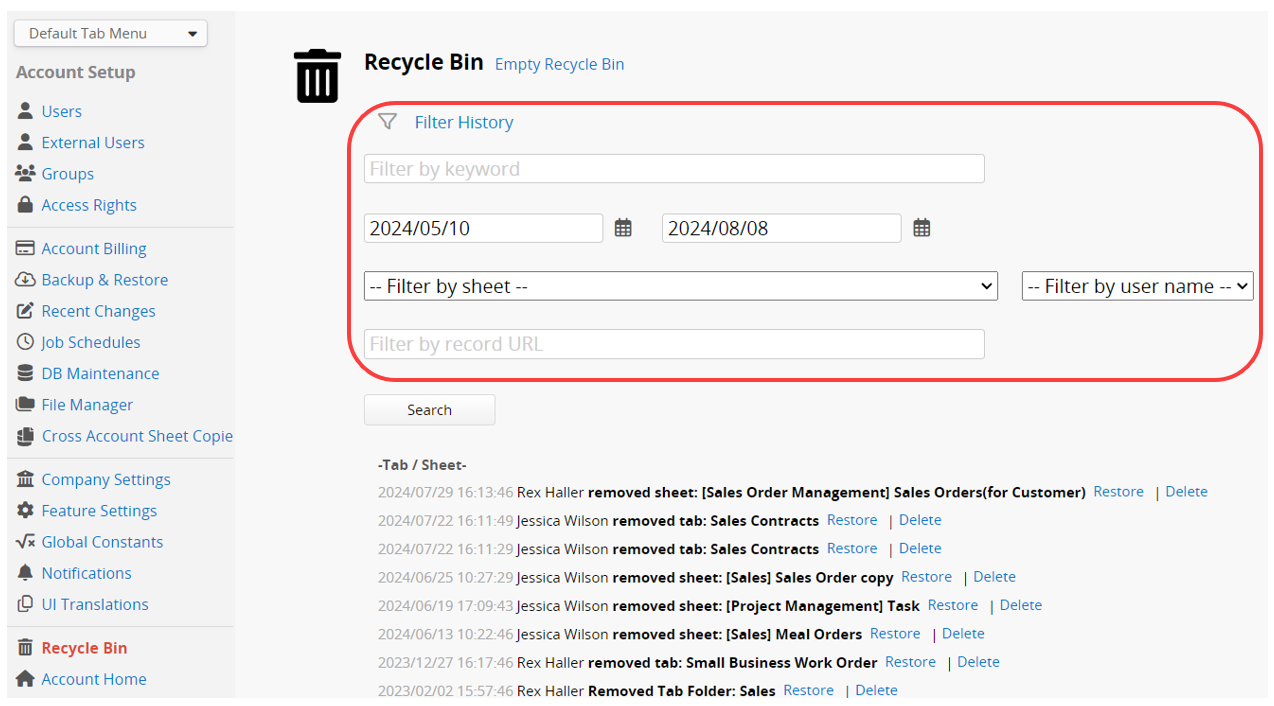
With Filter History, you can find and restore deleted records more quickly and easily.
The available filter options include filtering by keyword, date, sheet, username, and record URL.
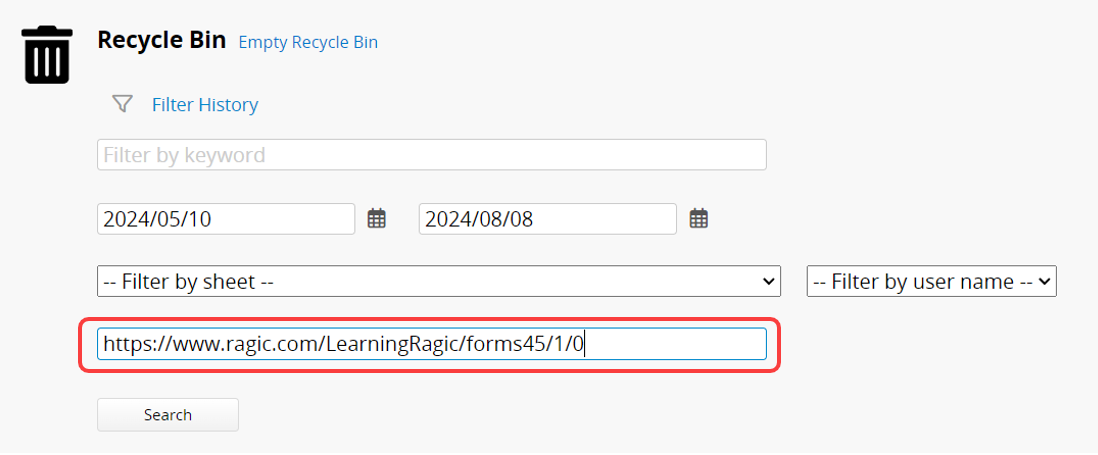
When you click a record URL and find that the record has been deleted, you can paste the URL into the Filter by record URL field to check if it's in the Recycle Bin.
The complete URL for a record is: https://{domain}/{apname}/{path}/{sheetIndex}/{nodeId}, for example: https://www.ragic.com/LearningRagic/forms45/1/0
 Thank you for your valuable feedback!
